Vibe Coding 101: The Ultimate Beginner’s Guide to Effortless Coding
We’ve all been there, the coffee is at the perfect temperature, your IDE is open, and suddenly, three hours have vanished. You look up, and you’ve built an entire feature without hitting a single mental roadblock. This isn’t just “being productive”, this is Vibe Coding.
For a long time, coding was seen as a grueling process of syntax wrangling, endless debugging, and constant context switching. But a shift is happening. Vibe coding is the transition from being a manual laborer of lines to an architect of intent. It’s about staying in the “creative flow” while leveraging modern tools to handle repetitive or friction-heavy tasks.
The Vibe Coding Mindset: Flow Over Friction
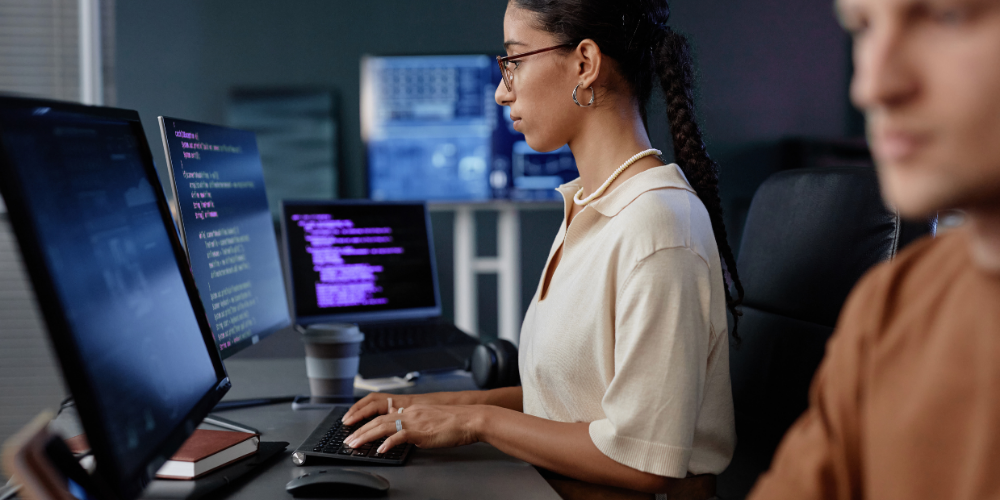
At its core, vibe coding is about minimizing context switching. Every time you leave your IDE to search Stack Overflow, check documentation, or reply to a notification, you lose a piece of your mental “state.”
The goal is to reach a state of deep work where the distance between your thought and your code is as short as possible. Achieving this requires cultivating a few tactical habits:
1. Aggressive Distraction Shielding
Your focus is your most valuable resource. Tools like Freedom, Cold Turkey, or macOS “Do Not Disturb” help gatekeep your attention. Even small interruptions, like a Slack ping or email alert, can break a flow that took minutes to achieve.
2. Sensory Anchors
Audio cues prime your brain for deep work. Whether it’s a specific Lo-Fi playlist, ambient brown noise, or game soundtracks, these cues signal: “It’s time to build.” Over time, your brain associates these sounds with productivity and focus.
3. The Pomodoro Pivot
Traditional Pomodoro timers use rigid 25-minute blocks, but flow doesn’t always adhere to a schedule. Try the “Flowmodoro” approach, work as long as the vibe lasts, and only take a break when mental fog starts creeping in. This preserves the depth and intensity of your focus.
The Vibe Engine: Tools That Keep You Moving
In 2026, the “vibe” is powered by AI-assisted development. We are moving away from traditional autocomplete toward Agentic IDEs that understand what you’re trying to build before you finish typing.
Cursor: Your AI-Powered Coding Buddy
- Built on VS Code, Cursor feels familiar but adds AI-native features.
- You can describe a change in natural language and see it applied across multiple files.
- No more hunting for variable definitions or boilerplate; the AI handles it so you can stay in flow.
Windsurf: Pair Programming at a Project Level
- Windsurf goes beyond single-file understanding.
- It keeps project-level context, allowing the AI to act as a navigator while you remain the pilot.
- This transforms coding from line-by-line work to directing the high-level structure and logic.
Beyond the IDE
- WakaTime / CodeTime: Turn streaks into a game and visualize your flow patterns.
- Minimalist Workspace: A clean desk reduces visual noise, letting your focus stick to the screen.
- Ambient tools: Headphones, standing desks, or soft lighting can all reinforce your coding zone.
A Sample Vibe Coding Session: From Zero to Shipped
Here’s how a vibe coding session might look in practice:
- The Setup: Clear your desk, put on noise-canceling headphones, and trigger a “Deep Work” shortcut that closes Slack and email.
- The Intent: Open Cursor and type:
“I need a responsive navigation bar that toggles a mobile drawer and uses the theme colors from my global CSS.” - The Flow: Instead of writing boilerplate, review the AI-generated code. Ask for a tweak: “Make the transition smoother” done.
- The Polish: Focus energy on logic, UX, and creativity rather than syntax errors or tedious adjustments.
In this session, you’re not just coding, you’re directing your code while AI handles repetitive tasks. That’s the essence of vibe coding: staying at the high-level “vibe” of your project.
Making Vibe Coding Your Routine
Consistency helps embed the vibe coding mindset. Here’s a simple starter routine:
- Morning: 10–15 min setup, desk, music, tools ready.
- Work block: Flowmodoro session using AI-assistants.
- Break: Step away physically, hydrate, and reset senses.
- Reflection: Quick review of what you accomplished and adjust next session.
Even small daily practice cements the habits of deep work and creative flow.
Conclusion: Join the Vibe Shift
Vibe coding isn’t about being lazy or avoiding work; it’s about being efficient, focused, and creative. By combining a mindful, distraction-minimized mindset with high-context AI assistants, you can transform coding from a chore into a seamless creative session.
Try it this week. Open an AI-powered IDE, set up your vibe, and see how long you can stay in the zone. You might discover that the “vibe” is the most productive version of yourself you’ve ever met.
Want more practical coding insights like this? Explore all guides and tutorials on our Blogs page and keep leveling up your workflow.